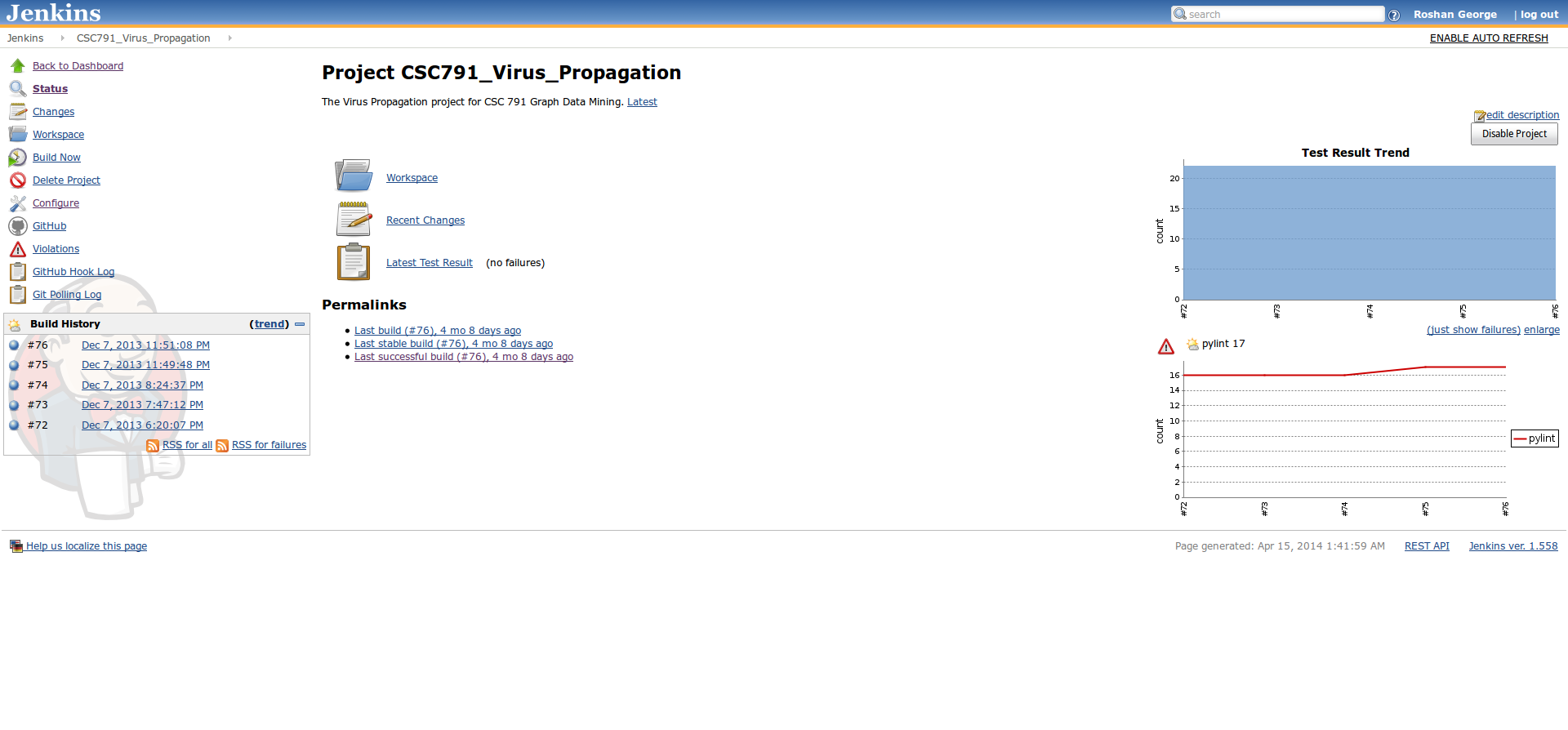
This installation of Jenkins has Nosetests and Pylint with the Github and Git Plugins
NC State has a Github Enterprise installation that’s great for working on class projects, especially because it’s possible that some of your team-mates may be students studying remotely. It’s probably a good idea to use a server that will pull the latest changes from your master branches, run tests, and perform linting so that you know how well you’re progressing. Fortunately, all the tools for these are easily accessible. We used:
- Github Enterprise for version control.
-
Jenkins for automated builds.
-
PyLint for code quality analysis.
Installing software
-
To start with, set up an organization in Github Enterprise for each course team we have and add your team-mates to it.
-
Create a repository in Github Enterprise.
-
Install Jenkins on your server.
-
Install the Git Plugin for Jenkins. Optionally install the Github plugin as well. I didn’t use this for the CI features.
-
Install the Violations plugin for Jenkins so we can report linting results.
-
Create an SSH key-pair on your Jenkins server and set up the public key as a deploy key in the settings for your repository.
-
Set up a web hook on Github Enterprise by going to the Service Hooks tab in the settings for your repository and picking the “Jenkins (Git Plugin)” option. Remember to set the URL to the base URL of your Jenkins installation.
-
Add the deploy key to Jenkins credentials.
Jenkins Project Settings
-
Under Source Code Management, select
Gitand specify the repository URL as specified on the Git Plugin page. This is currently the same URL you’d get if you selected the SSH option on the Github page for your project. -
Set the credentials to the key you’ll be using.
-
In the Build Triggers section, pick the “Build when a change is pushed to Github” and “Poll SCM” options. Set the “Poll SCM” schedule to infrequent (it uses the same format as your
crontab). -
For your build steps add the following for linting: (the
echocommand is to account for pylint returning non-zero unless you’re absolutely clean)find -iname "*.py" | xargs pylint --rcfile=.pylint -f parseable > pylint.xml || echo "pylint violations"
and for testing, add:
nosetests src/path/to/test/ --with-xunit
-
Add a post-build option to “Publish JUnit Test Report” and specify
**/nosetests.xmlas the path. -
Add a post-build option to “Report Violations” and specify
**/pylint.xmlas the path. -
Add the Github Project URL if you want Github links.